
Published 7/2022
MP4 | Video: h264, 1280x720 | Audio: AAC, 44.1 KHz
Language: English | Size: 300.37 MB | Duration: 0h 54m
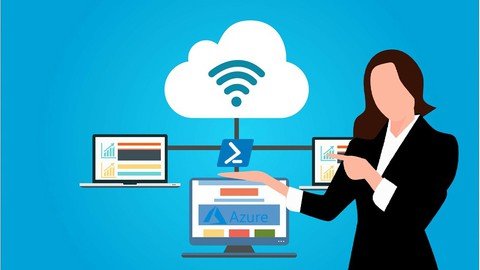
Azure PowerShell tasks, deploying a VM in Azure with PowerShell, resizing a VM, and managing VM states, much more
What you'll learn
Deploying a VM in Azure with PowerShell
Resizing a VM, and managing VM states
Deploying of VMs using PowerShell with Marketplace images
Creating custom images and deploying VMs from such custom images
Deploying and attaching of data disks using PowerShell
Creating of VM snapshots, and how to deploy new VMs from such snapshots
Deploying of availability sets and how to load balance Azure VMs
Much more...
Requirements
To follow along you'll need to create a free Azure acount
Description
The course starts with covering the basics of Azure PowerShell and introduces you to basic PowerShell tasks, including the installation of Azure PowerShell and how to connect to Azure with it. It also covers remedial tasks, such as deploying a VM in Azure with PowerShell, resizing a VM, and managing VM states-all with PowerShell.Then we start 'Working with Images', introducing a few image-related Azure tasks that can be completed with PowerShell. We'll discuss the deployment of VMs using PowerShell with Marketplace images as well as how to create custom images and how to deploy VMs from such custom images.Working with Disks, covers more advanced topics, including the deployment and attachment of data disks using PowerShell. Also covered in this chapter is the creation of VM snapshots, and how to deploy new VMs from such snapshots. High Availability, explores the deployment of availability sets and how to load balance Azure VMs.Other Cool Stuff, explores various other cool tricks that you can do with Azure PowerShell. Covered in this sectionis the creation and attachment of NICs to VMs using PowerShell. Tagging VMs with PowerShell and redeploying VMs with PowerShell are also covered, as are admin password resets. Find out about the management of VMs with custom script extensions.
Overview
Section 1: Basic Tasks
Lecture 1 Getting started with Azure Powershell
Lecture 2 Deploying a virtual machine
Lecture 3 Performing tasks on VMs with Powershell
Lecture 4 Starting, restarting, removing VMs and Resource Groups
Lecture 5 Lab: Inintial Tasks
Section 2: Working with Images
Lecture 6 Creatin a VM from Azure Marketplace Image
Lecture 7 Creating a custom image with sysprep
Lecture 8 Working with images
Azure Administrators,DevOps,IT Specialists,System Administrators
Homepage
Code:
https://www.udemy.com/course/azure-with-powershell/Recommend Download Link Hight Speed | Please Say Thanks Keep Topic Live
Code:
Rapidgator
https://rapidgator.net/file/ccc0480d59784e845eb77a3928e487ee/ljbop.Azure.With.Powershell.rar.html
NitroFlare
https://nitro.download/view/C489AF17BA3D062/ljbop.Azure.With.Powershell.rar
Uploadgig
https://uploadgig.com/file/download/1E78EaA8dAb26a14/ljbop.Azure.With.Powershell.rar
