
Last updated 11/2021
MP4 | Video: h264, 1280x720 | Audio: AAC, 44.1 KHz
Language: English | Size: 365.97 MB | Duration: 0h 55m
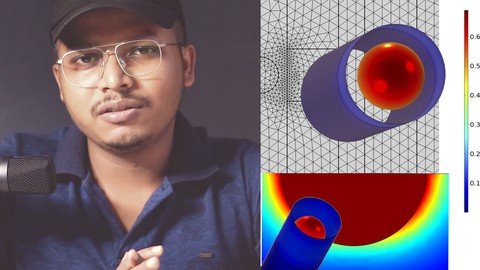
Finite Element Method Simulation of a magnet falling inside a hollow cylinder along with experimental verification
What you'll learn
Magnetic simulation
FEM
EDDY CURRENTS
COMSOL MULTIPHYSICS
Requirements
BASIC PHYSICS
BASIC COMSOL MULTIPHYSICS KNOWLEDGE
Description
The finite element method (FEM) is a popular technique for numerically solving differential equations in engineering and mathematics. The classic domains of structural analysis, heat transfer, fluid flow, mass transport, and electromagnetic potential are typical issue areas of interest. In two or three spatial variables, the FEM is a generic numerical approach for solving partial differential equations (i.e., some boundary value problems). The FEM breaks a big system into smaller, simpler sections called finite elements in order to solve a problem. This is accomplished by a specific space discretization in the space dimensions, which is performed through the creation of an object mesh: the numerical domain for the solution, which has a finite number of points.About the Instructor. am I ready to instruct others?I have instructed more than 5000 students till the year 2021, across 105 countries.I have publications in top journals like Nature Materials where I have modelled devices in council multiphysics.Till 2021 I have 17 international publications almost all containing some of the other modelling and simulation involving finite element simulation or DFT simulation or analysis using Matlab Python or Simulink.I am the author of the best-selling COMSOL courses on Udemy.In this course, we will use COMSOL Multiphysics software as a tool to solve a real problem using FEM. This is a small course that is complete in itself. The course is professionally made just for you
 A few of the features of the course are:High-Quality LecturesStep by Step process is explained clearlyQuiz in between lecturesPDF noteSimulation Comparison with REAL EXPERIMENTyou will have a good idea to solve a real problemThe Instructor is the best selling Simulation course author with 3000+ students globally and 300+ 5 star ratings. The team worked hard to make this quality course quick as well as easy to follow. From this course You will learn:A good idea to run advanced simulationsHow to use COMSOL MultiphysicsHow to make 2D geometryHow to mesh the modelHow to add PhysicsHow to add equations and integralsHow to run simulations and analyze resultsHow to compare with experimentsSEE you on the Course
 Overview
Section 1: Magnet falling through a Pipe
Lecture 1 Creating The Model and adding Physics
Lecture 2 Adding Math interface and geometry parameters
Lecture 3 Creating the Geometry part 1
Lecture 4 Creating the Geometry part 2
Lecture 5 Making Selections
Lecture 6 Setting the Integrations
Lecture 7 Adding variables and functions
Lecture 8 Add infinite domain
Lecture 9 Adding ODE DAE interface
Lecture 10 Add materials to the model
Lecture 11 Setting the Magnetic fields boundary conditions
Lecture 12 Adding study
Lecture 13 Computing simulation and plotting results
Lecture 14 Comparison of simulation results with real experiments
STUDENTS,SCIENCE STUDENTS,ENGINEERS,RESEARCHERS
Homepage
Code:
https://www.udemy.com/course/femsimulation/Recommend Download Link Hight Speed | Please Say Thanks Keep Topic Live
Code:
NitroFlare
https://nitro.download/view/BCD1905BAF90E9F/hswjz.Magnetic.Fem.Simulation.With.Verification.In.Comsol.rar
Rapidgator
https://rapidgator.net/file/1ce942b79b0696051ff3676f80576877/hswjz.Magnetic.Fem.Simulation.With.Verification.In.Comsol.rar.html
Uploadgig
https://uploadgig.com/file/download/e39Ea85adad1fB1F/hswjz.Magnetic.Fem.Simulation.With.Verification.In.Comsol.rar
