
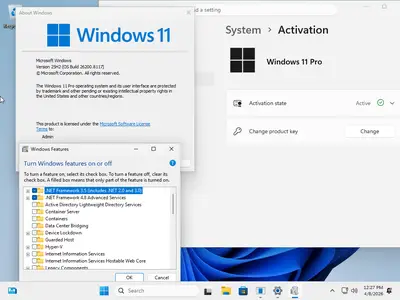
Free Download tiny11 Core 25H2 Build 26200.8117 Multilingual Preactivated | 3.35 GB
No TPM |Language:Arabic,English,German,Greek,French,Spanish,Italian,Portuguese-Portuguese,Portuguese-Brazil,Turkish,Dutch,Czech,Norwegian
The fastest and most optimized Windows 11. You can install it on older and unsupported devices. The image was build via official tiny11 Builder and MSDN image of Windows 11 25H2 Pro Build 26200.8117.
While Windows 10 and Windows 11 aren't the most compact operating systems (minimum system requirements require at least 20GB of free disk space), modern versions of Windows are increasingly difficult to run on less powerful devices.
In this context, projects such as tiny10 and tiny11 come to the fore, providing lightweight and stripped-down versions of the OS for older computers that retain compatibility or key features.
Tiny11 is a majorly stripped-back, bare-bones version of Windows 11 Pro 22H2 that dramatically lowers the system requirements. The operating system needs just 8GB of disk space and 2GB of RAM, and it does not require TPM (Trusted Platform Module) and Secure Boot support.
Note! This image is a significantly reduced Windows 11 image. However, it's not suitable for regular use due to its lack of serviceability - you can't add languages, updates, or features post-creation. tiny11 Core is not a full Windows 11 substitute but a rapid testing or development tool, potentially useful for VM environments. Keep in mind that you cannot add back features in tiny11 core.
What is removed
- Clipchamp
- News
- Weather
- Xbox (although Xbox Identity provider is still here, so it should be possible to be reinstalled with no issues)
- GetHelp
- GetStarted
- Office Hub
- Solitaire
- PeopleApp- PowerAutomate
- ToDo
- Alarms
- Mail and Calendar
- Feedback Hub
- Maps
- Sound Recorder
- Your Phone
- Media Player
- QuickAssist
- Internet Explorer
- Tablet PC Math
- Edge
- OneDrive
For tiny11 core
- all of the above +
- Windows Component Store (WinSxS)
- Windows Defender (only disabled, can be enabled back if needed)
- Windows Update (Windows Update wouldn't work anyway without WinSxS, so enabling it would only put the system in a state where it would try to update but fail spectacularily)
- WinRE
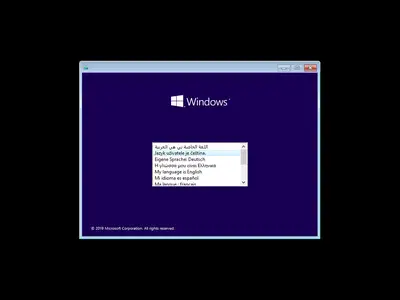
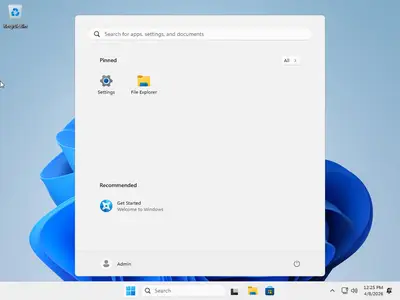
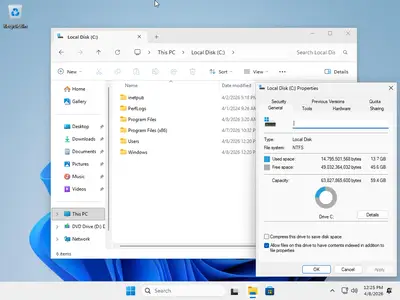
System Requirements
Processor: 1 gigahertz (GHz) or faster.
RAM: 1 gigabyte (GB).
Free space on hard disk: 16 gigabytes (GB).
Graphics card: DirectX 9 graphics device or a newer version.
Additional requirements to use certain features.
To use touch you need a tablet or monitor that supports multitouch.
To access the Windows store to download and run apps, you need an active Internet connection and a screen resolution of at least 1024 x 768 pixels
Homepage-
Code:
https://microsoft.comRecommend Download Link Hight Speed | Please Say Thanks Keep Topic Live
Rapidgator-->Click Link PeepLink Below Here Contains Rapidgator
http://peeplink.in/1a2782a7c7c7
DDownload
mhlam.tiny11.Core.25H2.Build.26200.8117.Multilingual.Preactivated.iso
FreeDL
mhlam.tiny11.Core.25H2.Build.26200.8117.Multilingual.Preactivated.iso
Links are Interchangeable - No Password - Single Extraction

