
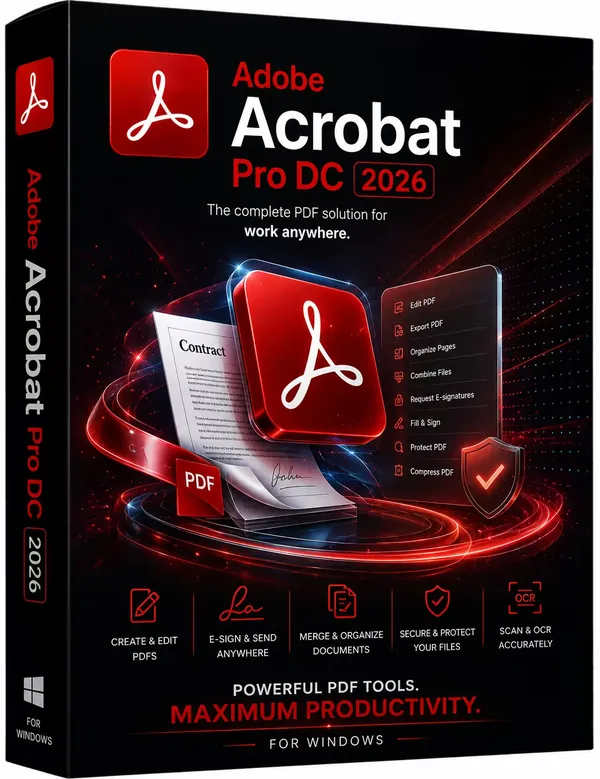
Free Download Adobe Acrobat Pro 2026.001.21745 (x86/x64) by m0nkrus [Multi] | 1.47/1.6 GB
Adobe Acrobat Pro is a desktop application for creating, editing, converting, organizing, and securing PDF documents. It provides a comprehensive set of tools for working with digital documents across business, education, and personal environments, making it suitable for everything from simple document sharing to advanced document management.
The software enables users to create PDF files from a wide range of document formats, edit existing PDFs, convert scanned documents into searchable content, and collect electronic signatures. Integration with Adobe Document Cloud also allows users to access, synchronize, and manage documents across supported devices and web browsers.
Adobe Acrobat Pro supports workflows involving document review, collaboration, form creation, and long-term document archiving. This release has been prepared by m0nkrus and is pre-activated for immediate use after installation.
Software OverviewAdobe Acrobat Pro combines PDF editing, document conversion, security, and electronic signature capabilities within a single application. Users can modify text and images, organize pages, merge multiple files, export PDFs to Office formats, and prepare documents for distribution or archiving.
The software also includes OCR technology for converting scanned documents into editable and searchable PDFs, along with tools for creating fillable forms, protecting sensitive information, and adding multimedia content where supported. Document Cloud services extend access to files and collaboration features across multiple devices.
Key Features
- Create PDF documents from multiple file formats
- Edit PDF text, images, and page content
- Merge multiple files into a single PDF document
- Convert scanned documents into searchable and editable PDFs using OCR
- Export PDF files to Microsoft Office formats
- Create and distribute fillable PDF forms
- Apply electronic signatures and manage signing workflows
- Protect PDF documents with security controls
- Remove confidential information permanently from PDF files
- Organize, reorder, insert, and delete PDF pages
- Add audio and video content to supported PDF documents
- Access documents through Adobe Document Cloud services
Why Choose Adobe Acrobat ProAdobe Acrobat Pro is designed for professionals, businesses, educators, and individual users who regularly work with PDF documents. Its broad feature set supports document creation, editing, review, collaboration, and secure distribution within a single application.
The software is suitable for paperless workflows, digital document management, electronic signatures, and converting printed documents into editable digital files while maintaining compatibility with the PDF standard.
What's NewThe following changes are included in this release:
- Integrated update from version 21.1.20135 to version 26.1.21745
- Installer includes a Creative Cloud-style Start Menu interface
- Support unlocked for installation on Windows 7 SP1, Windows 8.x, earlier Windows 10 releases, and Windows Server 2008R2-2012R2
- Adobe Genuine Software Integrity Service removed
- Acrobat automatic update service disabled
- Log Transport Application, CRLog Transport Application, and Adobe Crash Processor modules disabled
- Application is pre-activated and ready for use after installation
System Requirements
• Intel or AMD processor with a clock speed of 1.5 GHz or higher
• 64-bit versions of Microsoft Windows 11, Windows 10 (version 1809 or later), Windows Server 2016-2019; 64-bit versions of Microsoft Windows 11, Windows 10, Windows 8.x, Windows 7 SP1, Windows Server 2008R2-2019
• 2 GB of RAM
• 4.5 GB of free hard disk space
• Display with a resolution of 1024x768
• Hardware video acceleration (optional)
Frequently Asked Questions
What is Adobe Acrobat Pro used for?It is used to create, edit, convert, organize, secure, and electronically sign PDF documents for personal and professional workflows.
Can Adobe Acrobat Pro edit scanned documents?Yes. It includes OCR technology that converts scanned documents into searchable and editable PDF files.
Does Adobe Acrobat Pro support electronic signatures?Yes. The software provides tools for creating, sending, tracking, and managing electronic signature workflows.
Can PDF files be exported to Office formats?Yes. PDF documents can be exported to supported Microsoft Office formats for further editing.
Home Page
Code:
https://helpx.adobe.com/acrobat/using/whats-new.htmlProduct Information
- Software Name: Adobe Acrobat Pro
- Year of release: 2026
- Version: 2026.001.21745
- Architecture: x86/x64
- Languages: Multilanguage / Russian / English
- License type: pre-activated
- File Size: 1.47/1.6 GB
Recommend Download Link Hight Speed | Please Say Thanks Keep Topic Live
Rapidgator
fxjj9.Adobe.Acrobat.Pro.DC.2026.001.21745.x64.Multilingual.rar.html
fxjj9.Adobe.Acrobat.Pro.DC.2026.001.21745.x86.Multilingual.rar.html
UploadCloud
fxjj9.Adobe.Acrobat.Pro.DC.2026.001.21745.x64.Multilingual.rar.html
fxjj9.Adobe.Acrobat.Pro.DC.2026.001.21745.x86.Multilingual.rar.html
DDownload
fxjj9.Adobe.Acrobat.Pro.DC.2026.001.21745.x64.Multilingual.rar
fxjj9.Adobe.Acrobat.Pro.DC.2026.001.21745.x86.Multilingual.rar
FreeDL
fxjj9.Adobe.Acrobat.Pro.DC.2026.001.21745.x64.Multilingual.rar.html
fxjj9.Adobe.Acrobat.Pro.DC.2026.001.21745.x86.Multilingual.rar.html
Links are Interchangeable - No Password - Single Extraction

