
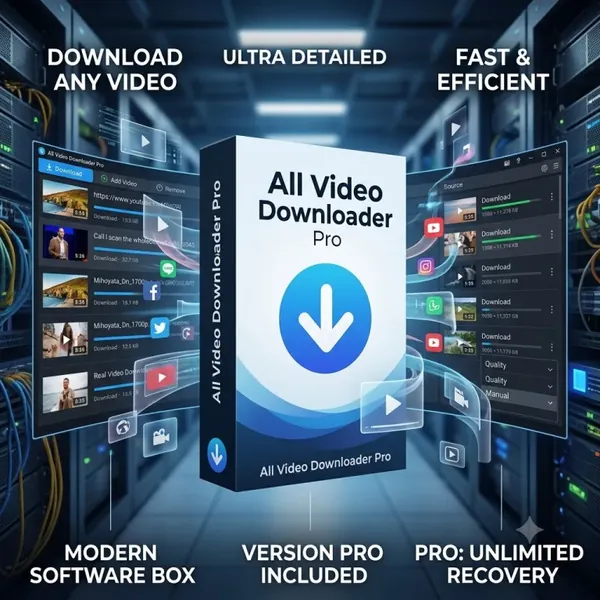
Free Download All Video Downloader Pro 10.5 (x64) | 146.3 Mb
All Video Downloader Pro is a Windows application for downloading, converting, and organizing online videos from a wide range of video-sharing platforms. It provides tools for saving videos for offline viewing while also offering built-in media conversion and playback capabilities.
The software is suitable for users who frequently download online videos for personal viewing, content archiving, or playback on different devices. Its integrated download manager, conversion tools, and media player allow multiple tasks to be handled from a single interface.
Software Overview
All Video Downloader Pro supports downloading videos from numerous online video services and can save content in various resolutions, including standard definition, high definition, and 4K where available. Its multi-threaded download engine is designed to improve download efficiency and supports pausing and resuming interrupted transfers.
Beyond downloading, the application includes video and audio conversion utilities, playlist downloading, subtitle downloading, scheduled tasks, and device optimization profiles. A built-in media player also allows downloaded files to be previewed or played directly within the application.
Key Features
- Download videos from hundreds of supported video-sharing websites.
- Support video resolutions including 4K, 2K, Full HD, HD, and lower resolutions.
- Download complete YouTube playlists.
- Extract audio from YouTube and save it as MP3.
- Download multiple videos simultaneously.
- Pause and resume interrupted downloads.
- Download subtitles in supported languages and formats.
- Preview partially downloaded videos.
- Convert videos to numerous video formats.
- Convert video files to multiple audio formats.
- Optimize converted files for mobile devices and media players.
- Schedule download tasks and automatic shutdown after completion.
- Start downloads using drag-and-drop URLs.
- Play downloaded media using the included All Video Player.
All Video Downloader Pro combines downloading, conversion, and media playback into a single application, making it convenient for users who regularly work with online video content. Its support for playlist downloads, multiple output formats, and scheduled downloads helps simplify media management.
The application is also suitable for users who need to prepare videos for playback across different computers, smartphones, tablets, gaming consoles, and other compatible devices.
System Requirements
- Operating System: Windows 7, 8/8.1, 10, 11
- Architecture: x64
Can All Video Downloader Pro download complete YouTube playlists?
Yes. The software supports downloading all videos contained in a supported YouTube playlist.
Does the application convert downloaded videos?
Yes. It includes built-in video and audio conversion tools that support a wide range of output formats.
Can downloads be paused and resumed?
Yes. Interrupted downloads can be resumed without restarting them from the beginning.
Home Page
Code:
http://www.kotato.com/- Software Name: All Video Downloader Pro
- Version: 10.5
- Architecture: x64
- Languages: English
- License type: Full Version
- File Size: 146.3 Mb
Recommend Download Link Hight Speed | Please Say Thanks Keep Topic Live
Rapidgator
a5tkr.All.Video.Downloader.Pro.10.5.x64.rar.html
UploadCloud
a5tkr.All.Video.Downloader.Pro.10.5.x64.rar.html
DDownload
a5tkr.All.Video.Downloader.Pro.10.5.x64.rar
FreeDL
a5tkr.All.Video.Downloader.Pro.10.5.x64.rar.html
Links are Interchangeable - No Password - Single Extraction

