
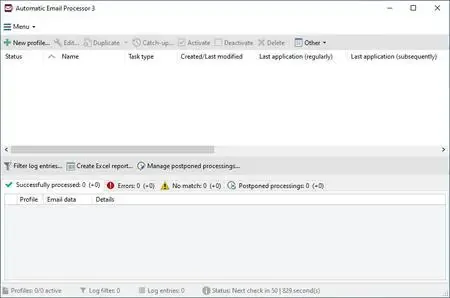
Automatic Email Processor 4.0.31 | 41.3 Mb
Automatic Email Processor is a Windows-based automation tool designed to manage incoming emails in Microsoft Outlook. It helps users automatically save, print, organize, and process emails and attachments based on customizable rules and filters, reducing manual email handling and improving workflow efficiency.
The software continuously monitors selected Outlook folders and applies predefined rules to incoming messages. Users can define how emails and attachments should be stored, renamed, exported, or forwarded, with full flexibility over file structure and processing logic.
In addition to archiving emails, the application supports automatic printing, attachment extraction, and conversion of messages into formats such as PDF, RTF, HTML, or MSG. It also allows post-processing actions such as moving emails to different folders, launching external applications, or generating reports.
With dynamic folder and file naming capabilities, Automatic Email Processor can construct storage paths based on email properties such as sender, subject, date, or attachment name. This makes it suitable for structured email archiving in business environments.
Key Features:
- Automatic monitoring of Microsoft Outlook folders
- Rule-based email and attachment processing
- Save emails as PDF, MSG, HTML, or RTF formats
- Automatic printing of emails and attachments
- Attachment extraction and optional detachment from emails
- Dynamic folder and file naming using email properties
- Support for multiple independent processing rules
- Post-processing actions (move, mark read, run programs)
- Processing based on time, sender, subject, and filters
- Scheduled and batch reprocessing of stored emails
Windows 11, 10, 8, 7 or Server (32-bit or 64-bit version)
Home Page
Code:
https://gillmeister-software.com/Recommend Download Link Hight Speed | Please Say Thanks Keep Topic Live
Rapidgator
p3hfc.Automatic.Email.Processor.4.0.31.rar.html
DDownload
p3hfc.Automatic.Email.Processor.4.0.31.rar
FreeDL
p3hfc.Automatic.Email.Processor.4.0.31.rar.html
Links are Interchangeable - No Password - Single Extraction

