
Automatic Email Processor 4.2.1 | 86 Mb
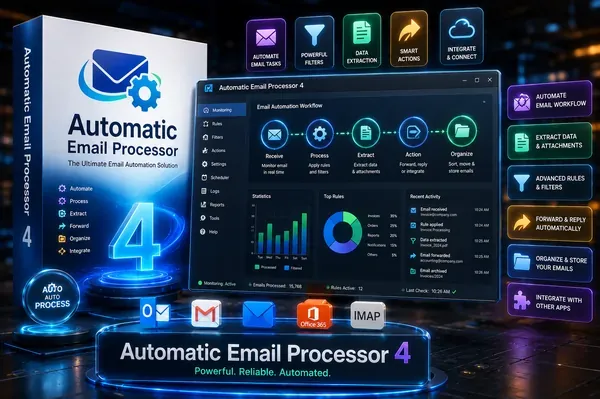
Automatic Email Processor</b> is an automation utility for Microsoft Outlook that helps users manage incoming email messages and attachments based on customizable rules. It can automatically save, print, archive, and process emails, making it suitable for businesses and individuals who handle large volumes of Outlook correspondence.
The software continuously monitors selected Outlook folders and applies user-defined rules to incoming or existing messages. It supports flexible filtering based on criteria such as sender, recipient, subject, attachments, and other email properties, allowing different actions to be performed for different types of messages.
Automatic Email Processor can archive emails in multiple formats, automatically save attachments to dynamically generated folders, and perform additional actions after processing. It is designed to reduce repetitive manual tasks while helping users organize email data more efficiently.
The application also includes advanced automation capabilities such as scheduled processing, attachment extraction, Outlook folder management, report generation, and integration with external programs through command-line parameters.
Key Features:
- Monitors Outlook folders and automatically processes incoming emails
- Saves emails in formats including PDF, RTF, HTML, and Outlook MSG
- Automatically saves email attachments using customizable rules
- Prints emails and supported attachments automatically
- Creates dynamic folder structures based on email properties
- Supports unlimited processing rules for multiple Outlook accounts
- Filters messages by sender, recipient, subject, attachments, and other criteria
- Extracts and prints files from ZIP archives
- Moves processed emails to other Outlook folders automatically
- Detaches saved attachments to reduce Outlook PST file size
- Processes existing emails within selected Outlook folders
- Generates scheduled Excel reports with processing details
- Runs external applications after processing using command-line parameters
- Limits automatic processing to selected days and time periods
- Supports email forwarding, status notifications, and message management tasks
System Requirements:
Windows 11, 10, 8, 7 or Server (32-bit or 64-bit version)
Home Page
Code:
https://gillmeister-software.com/Recommend Download Link Hight Speed | Please Say Thanks Keep Topic Live
Rapidgator
3j3a3.Automatic.Email.Processor.4.2.1.rar.html
3j3a3.Automatic.Email.Processor.4.2.1.rar.html
DDownload
3j3a3.Automatic.Email.Processor.4.2.1.rar
FreeDL
3j3a3.Automatic.Email.Processor.4.2.1.rar.html
Links are Interchangeable - No Password - Single Extraction

