
Last updated 4/2019
MP4 | Video: h264, 1280x720 | Audio: AAC, 44.1 KHz
Language: English | Size: 1.41 GB | Duration: 1h 54m
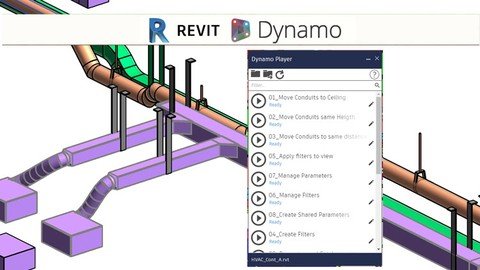
Playlist for Plumbing, Hvac, Electrical and Low Voltage Instalations.
What you'll learn
Develop some sample scripts with some requirements to be follow by dynamo.
Learn to recognize key values to be compare and to use as permutations for different type of results.
Review relations and interactions of the content display with Dynamo and Revit.
Add valuable information to Models and compare their values using Business Intelligence Dashboards.
Requirements
A Computer to accomplish the recommended exercises
Need to install a trial of Autodesk Revit 2018 , and Dynamo 1.3 on the Computer
Need to know or have taken Dynamo Geometry Modeling and Dynamo Analysis
Need to know how to model in Revit.
Description
This course it's designed to teach you some the great advantages of using Dynamo Player as an application solver that can easily speed up any process.Its an incredible opportunity to get access to workflows and open your possibilities to speed up your processes as well as for your partners or coworkers.BIM is now on a second digital revolution where communication skills and programming would create a different value to construction and infrastructure BIM projects, the core stream would be reflected in responses and computer analysis rather than handmade models.This course its the second volume of playlists design for MEP and later would have the encore for other workflows so don't miss out.We will start from scratch on how to set user friendly routines with data shapes, and from there use it to set workflows reviews and other set of elements that would be useful and complementary to your development of add-ins and tools by Dynam
 n this course we will ground concepts for a practical use so we can communicate with the computer and its capabilities would reflect those results.Communication is the core competence require for a fluent BIM Coordination, and I do believe that generative design would shorten and improve the BIM adoption rate on design processes, so we are talking on a quantum leap to coordinate with construction and engineering systems.This course complements with other courses such as Dynamo Basic Modeling, Mastering Geometry with Dynamo, and it will also set a new requirement for future courses using generative design with other workflows. The course has several sample scripts to follow up so then you can do your own, and also includes all references, scripts and sample values reflected.Go at your own pace, jump between sections and enjoy a lifetime access of contentAlso, we have a direct response for any topic listed, so we can improve the content. Be the first to know of future courses regarding BIM, take advantage of all the opportunities that may appear and use it to improve your work performance and get better job positions.
Overview
Section 1: Introduction
Lecture 1 Introduction
Lecture 2 Dynamo Player Volume 2 MEP
Lecture 3 LOD on Detail
Lecture 4 Instalation LODS
Lecture 5 Requirements for the use of the Playlist
Lecture 6 Course Files
Section 2: Information Managment
Lecture 7 Create Filters
Lecture 8 Apply Filters to View
Lecture 9 Manage Filters
Lecture 10 Filter By Parameter
Section 3: Lines to Model MEPover
Lecture 11 Using Lines to Model Pipes
Lecture 12 Using Lines to Model Conduit
Lecture 13 Using Lines to Model HVAC
Section 4: Geometrical Playlists
Lecture 14 Move Conduit to Ceiling
Lecture 15 Move Conduit Same Heigth
Lecture 16 Move Conduit Same Distance
Lecture 17 Bayonet on Pipes Conduit and Ducts
Lecture 18 Bayonet on Detail
Section 5: Supports and Hangers
Lecture 19 Horizontal Hangers Channel
Lecture 20 Horizontal Pear Supports
Designers, Architects and Engineers that what to model faster,Students that what to explore multiple sets on design.
Homepage
Code:
https://www.udemy.com/course/bimdpmep/Recommend Download Link Hight Speed | Please Say Thanks Keep Topic Live
Code:
Rapidgator
https://rapidgator.net/file/5491e5774d048e6cb43c8e4824d4a405/bbbfg.Bim.Autodesk.Revit.Dynamo.Player.Modeling.Mep.Instalations.part2.rar.html
https://rapidgator.net/file/c936dbbcba2ec0efebdd79bfc3f07efd/bbbfg.Bim.Autodesk.Revit.Dynamo.Player.Modeling.Mep.Instalations.part1.rar.html
Uploadgig
https://uploadgig.com/file/download/51df13cc055debcA/bbbfg.Bim.Autodesk.Revit.Dynamo.Player.Modeling.Mep.Instalations.part1.rar
https://uploadgig.com/file/download/6F38b24d9cdfd3a6/bbbfg.Bim.Autodesk.Revit.Dynamo.Player.Modeling.Mep.Instalations.part2.rar
NitroFlare
https://nitroflare.com/view/0F4CF3F1E73EE52/bbbfg.Bim.Autodesk.Revit.Dynamo.Player.Modeling.Mep.Instalations.part2.rar
https://nitroflare.com/view/D9642C5358EE9B5/bbbfg.Bim.Autodesk.Revit.Dynamo.Player.Modeling.Mep.Instalations.part1.rar
