
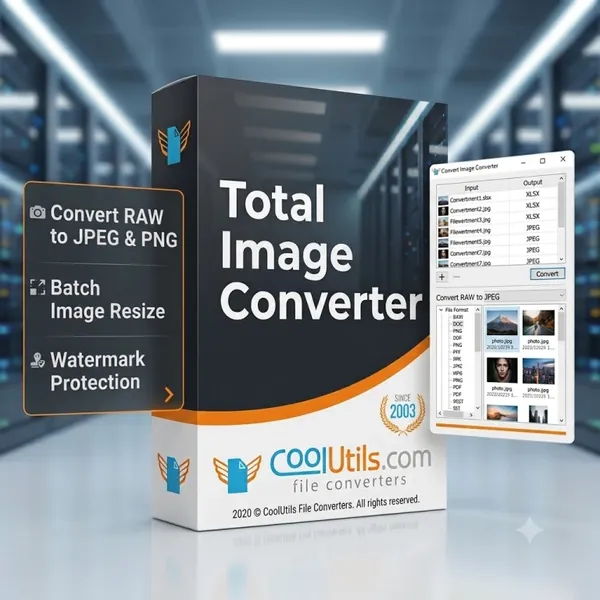
CoolUtils Total Image Converter 8.5.0.322 Multilingual Portable Fast Links | 70.5 Mb
CoolUtils Total Image Converter Portable is a portable image conversion utility designed to convert, resize, crop, rotate, and optimize images in a wide variety of file formats. It supports batch processing, making it suitable for photographers, designers, and users who regularly manage large image collections.
The portable edition can be run without a traditional installation process, making it convenient for flexible deployment on compatible Windows systems. Users can launch the application directly from a local folder or removable storage device while retaining access to its complete image conversion capabilities.
The software supports common and specialized image formats, RAW camera files, batch editing tools, watermarking, color space conversion, and command-line automation for advanced workflows.
Key Features:
- Converts TIFF, JPEG, JPEG2000, RAW, PNG, BMP, ICO, PSD, TGA, PCX, PCD, and many other image formats.
- Supports batch conversion for processing multiple image files.
- Resizes, crops, and rotates images during conversion.
- Converts CMYK images to RGB color space.
- Combines images from folders using batch processing.
- Adds frames and text watermarks to images.
- Exports images to PDF, TIFF, BMP, PNG, JPEG, JPEG2000, ICO, GIF, PCX, TGA, PXM, PS, PCL, and additional formats.
- Supports a wide range of RAW camera image formats including CR2, NEF, RAF, ORF, NRW, MRW, X3F, and others.
- Includes a built-in preview panel for viewing images and file information.
- Allows password protection, digital signatures, and user permissions when converting images to PDF.
- Provides command-line support for automated image conversion.
- Offers an SDK edition for server-side integration.
Why Choose CoolUtils Total Image Converter:
CoolUtils Total Image Converter provides a practical solution for converting and processing image files while supporting extensive format compatibility and batch operations. It is suitable for photographers, graphic designers, office users, and anyone who needs to prepare images for printing, publishing, archiving, or web use.
The portable edition offers additional flexibility by allowing the application to run without a traditional installation process, making it convenient for users who work across multiple compatible Windows computers.
System Requirements:
Windows operating system
Home Page
Code:
https://www.coolutils.com/TotalImageConverterRecommend Download Link Hight Speed | Please Say Thanks Keep Topic Live
Rapidgator
da15g.CoolUtils.Total.Image.Converter.8.5.0.322.Multilingual.Portable.rar.html
UploadCloud
da15g.CoolUtils.Total.Image.Converter.8.5.0.322.Multilingual.Portable.rar.html
DDownload
da15g.CoolUtils.Total.Image.Converter.8.5.0.322.Multilingual.Portable.rar
FreeDL
da15g.CoolUtils.Total.Image.Converter.8.5.0.322.Multilingual.Portable.rar.html
Links are Interchangeable - No Password - Single Extraction

