
Published 9/2022
MP4 | Video: h264, 1280x720 | Audio: AAC, 44.1 KHz
Language: English | Size: 1018.25 MB | Duration: 1h 37m
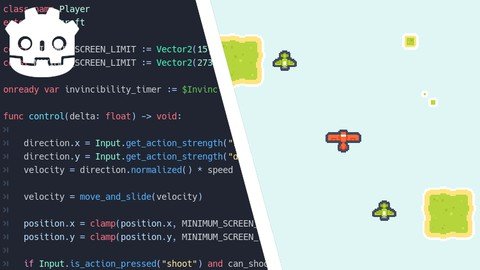
Learn how to create a shoot 'em up (shmup) game in Godot Engine
What you'll learn
Godot Engine - Nodes, Scenes & GDScript
Shoot 'Em Up - Aircrafts, Bullets & Power-Up
User Interface (HUD) - Scoring & Player's Lives
Exporting - Windows
Requirements
Familiar with programming
Familiar with Godot Engine
Description
Do you like shoot 'em up (shmup) games like Strikers 1945, Raiden, and Ikaruga? Do you want to know how to make them?Then let's learn how to make them in this course!The course will teach you how to make shmup games using the Godot Engine, a free and open-source software (FOSS). It will cover many aspects and mechanics of shmup games.Using the Godot Engine, we will cover how to:Create levelCreate aircraft (player & enemy)Create bullets (player's bullet and enemy's bullet)Create a HUD (Score & player's lives)Add sound effects and musicExport project to WindowsYou will also learn how to:Use the tilemaps to create the levelsScroll the background of the levelsUse the animation player to create animationsCreate an explosion effect for the aircraftCreate a taking damage effect for the enemiesCreate a power-up (bullet upgrade) for the playerSpawn enemies during gameplayRespawn player after dyingCreate a game over screenRestart after a game overAnd much more!By the end of this course, you will learn the basics of shmup games from start to finish. Use that knowledge you have learned to create your own shoot 'em up games!Note: The instructor is still developing the course. Sometimes in the future, the instructor will add more lessons to the course.
Overview
Section 1: Introduction
Lecture 1 Introduction
Section 2: Preparation
Lecture 2 Download Godot Engine
Lecture 3 Download Assets
Lecture 4 Setting Up
Section 3: Gameplay
Lecture 5 Creating Level
Lecture 6 Creating Player Plane
Lecture 7 Creating Enemy Plane
Lecture 8 Creating Player Bullet
Lecture 9 Creating Enemy Bullet
Lecture 10 Creating Explosion Effect
Lecture 11 Creating Damaged Effect
Lecture 12 Creating Power Up
Lecture 13 Spawning Enemies
Lecture 14 Respawning Player
Section 4: User Interface (HUD)
Lecture 15 Creating Score
Lecture 16 Creating Player's Lives
Lecture 17 Creating Game Over Screen
Section 5: SFX & Music
Lecture 18 Adding Sound Effects & Music
Section 6: Exporting
Lecture 19 Exporting to Windows
Section 7: Closing
Lecture 20 Closing
Godot game developer
Homepage
Code:
https://www.udemy.com/course/create-a-shoot-em-up-shmup-game-in-godot-engine/Recommend Download Link Hight Speed | Please Say Thanks Keep Topic Live
Code:
Rapidgator
https://rapidgator.net/file/990c243f35134d34f1a7308ba63c648a/flozg.Create.A.Shoot.Em.Up.Shmup.Game.In.Godot.Engine.part1.rar.html
https://rapidgator.net/file/b61cae6899442e0de7bc8f471caa9086/flozg.Create.A.Shoot.Em.Up.Shmup.Game.In.Godot.Engine.part2.rar.html
Uploadgig
https://uploadgig.com/file/download/1A34d9e14266Bc1a/flozg.Create.A.Shoot.Em.Up.Shmup.Game.In.Godot.Engine.part2.rar
https://uploadgig.com/file/download/DaadfA05477bb4d0/flozg.Create.A.Shoot.Em.Up.Shmup.Game.In.Godot.Engine.part1.rar
NitroFlare
https://nitroflare.com/view/0A289EC5327496D/flozg.Create.A.Shoot.Em.Up.Shmup.Game.In.Godot.Engine.part2.rar
https://nitroflare.com/view/C204478AE9103AE/flozg.Create.A.Shoot.Em.Up.Shmup.Game.In.Godot.Engine.part1.rar
