
DbVisualizer Pro 26.2 (x64) | 211.7 Mb
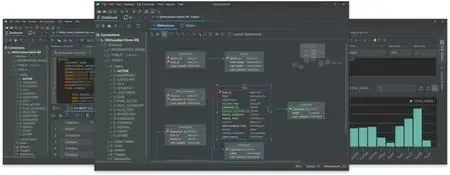
DbVisualizer Pro is a professional database management and development tool designed for database administrators, developers, analysts, and data professionals. It provides a unified environment for connecting to, managing, and querying multiple database systems from a single interface, making it easier to work across complex data infrastructures.
Built to support a wide range of database platforms, DbVisualizer simplifies database administration, SQL development, data exploration, and performance optimization. Its intuitive interface and extensive feature set help users efficiently manage data while maintaining full control over database objects, structures, and queries.
The application combines advanced SQL editing capabilities with powerful visualization and data management tools, allowing users to analyze information, edit records, export results, and interact with databases more productively.
Key Features:
- Connect to popular database platforms from one interface
- Support for database-specific objects and features
- Advanced SQL editor with intelligent assistance
- Auto-suggestions for faster query creation
- SQL formatting for improved readability
- Query variables for reusable SQL statements
- Database exploration and object management
- Built-in JDBC driver management via Maven
- Automatic driver version handling
- Support for custom database object types
- Custom database actions and operations
- Visual database navigation tools
- Manage and maintain complex database environments
- Access and analyze data across multiple sources
- Browse and manage stored database data
- Inline data editing directly from result views
- Highlight and review pending modifications
- Commit updates when ready
- Flexible result set visualization
- Display query results as tables or graphs
- Customize result presentation styles
- Export query results to multiple file formats
- Quick export to spreadsheet-compatible formats
- Centralized access to multiple databases
- Improved SQL development productivity
- Simplified database administration tasks
- Enhanced data visualization capabilities
- Efficient management of large data environments
- Flexible data export and reporting options
- Designed for developers, DBAs, and analysts
Code:
https://www.dbvis.com/Recommend Download Link Hight Speed | Please Say Thanks Keep Topic Live
Rapidgator
uxcp1.DbVisualizer.Pro.26.2.x64.rar.html
DDownload
uxcp1.DbVisualizer.Pro.26.2.x64.rar
FreeDL
uxcp1.DbVisualizer.Pro.26.2.x64.rar.html
Links are Interchangeable - No Password - Single Extraction

