
Published 12/2022
MP4 | Video: h264, 1280x720 | Audio: AAC, 44.1 KHz
Language: English | Size: 780.04 MB | Duration: 1h 12m
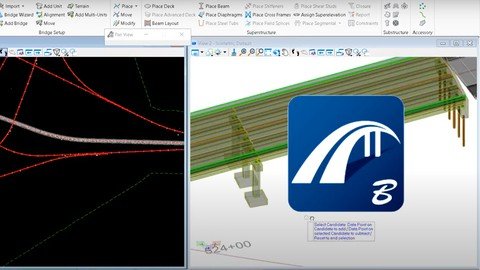
Learn to model, analyze and design bridges using Bentley Open Bridge
Learn to model, analyze and design bridges using Bentley Open Bridge
What you'll learn
Bridges theory
Initiating Open Bridge Modler from Open Bridge Designer
Precast Girder 2 Span Straight Bridge Model
Precast Beam 2 Span Straight Bridge Model - Using Wizard
Requirements
The course is from scratch
Description
Level 1 of Bentley Open Bridge is a beginner's guide, where we learn the basics of this software. Starting with a short theoretical session, we assume that you have basic know how about bridges, after quick review of some common terms we will get familiar with the interface of Bentley Open Bridge.After brief introduction, we will proceed with an exercise in which we will create Precast Girder 2 Span Straight Bridge Model. In process of making this bridge we will learn multiple procedure like adding a bridge Model, support Lines, bridge Decks, Girders, placing and Modifying Piers, Abutments, Bearings an Barriers.After successful creation of Precast Girder 2 Span Straight Bridge Model using conventional method, we will learn how to make the same using Wizard method which is way more convenient and gets results with just few click and inputs. After that you can compare both models at your own convenience.Course conent:Lesson 0 Theory Getting StartedLesson 1 Introduction Lesson 2 Initiating Open Bridge Modler from Open Bridge Designer Lesson 3 User Interface Lesson 4 Importing .tin file (Terrain Model) Exercise : Precast Girder 2 Span Straight Bridge ModelLesson 5 Adding a bridge Model Lesson 6 Adding Support Lines Lesson 7 Adding Bridge Decks Lesson 8 Adding Girders Lesson 9 Placing and Modifying Pier Lesson 10 Placing Abutments Lesson 11 Placing Bearings and Stepped Cap Lesson 12 Placing Barriers Exercise : Precast Beam 2 Span Straight Bridge Model - Using WizardLesson 13 Adding Bridge Model Lesson 14 Place Excavation Lesson 15 Place Diaphragms
Overview
Section 1: Theory
Lecture 1 Theory
Section 2: Getting Started
Lecture 2 Introduction
Lecture 3 Initiating Open Bridge Modler from Open Bridge Designer
Lecture 4 User Interface
Lecture 5 Importing .tin file (Terrain Model)
Section 3: Exercise : Precast Girder 2 Span Straight Bridge Model
Lecture 6 Adding a bridge Model
Lecture 7 Adding Support Lines
Lecture 8 Adding Bridge Decks
Lecture 9 Adding Girders
Lecture 10 Placing and Modifying Pier
Lecture 11 Placing Abutments
Lecture 12 Placing Bearings and Stepped Cap
Lecture 13 Placing Barriers
Section 4: Exercise : Precast Beam 2 Span Straight Bridge Model - Using Wizard
Lecture 14 Adding Bridge Model
Lecture 15 Place Excavation
Lecture 16 Place Diaphragms
Civil engineers,BIM Modelers,Microstation and AutoCAD users,Draft modelers,Civil3D and Revit users

Design Bridges using Open Bridge - Level 1
Learn to model, analyze and design bridges using Bentley Open Bridge
Recommend Download Link Hight Speed | Please Say Thanks Keep Topic Live
Code:
Download From 1DL
https://1dl.net/qbvbcdctkl09/hlmqt.D.B.U.O.B..L.1.rar
Rapidgator
https://rapidgator.net/file/a06b63f2c0117162827aef5b289338cc/hlmqt.D.B.U.O.B..L.1.rar.html
Uploadgig
https://uploadgig.com/file/download/692b4418aA2D89d2/hlmqt.D.B.U.O.B..L.1.rar
NitroFlare
https://nitroflare.com/view/70CE01A8915DCF3/hlmqt.D.B.U.O.B..L.1.rar
