
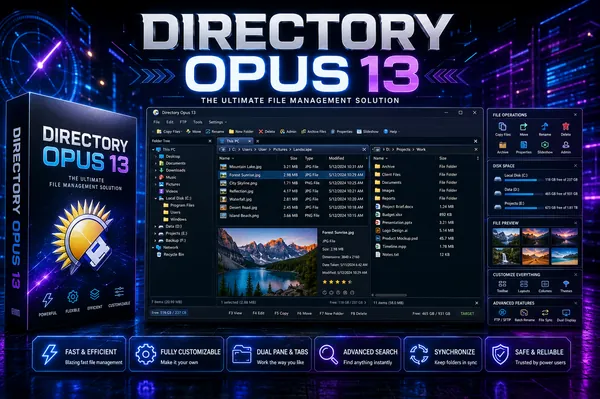
Directory Opus 13.24 (x64) Multilingual Fast Links | 28.4 Mb
Directory Opus is an advanced file management application designed as a powerful alternative to Windows Explorer. It offers a highly customizable environment for organizing, browsing, transferring, and managing files, making it suitable for both everyday users and professionals who work with large amounts of data.
The software combines an intuitive interface with extensive file management capabilities, allowing users to navigate folders more efficiently and perform complex operations with fewer steps. Whether managing local storage, network locations, archives, or FTP servers, Directory Opus provides the tools needed to streamline daily workflows while maintaining complete control over file organization.
Built with performance and flexibility in mind, the application supports modern hardware and allows every aspect of the interface to be tailored to individual preferences. From customizable toolbars and keyboard shortcuts to scripting support and advanced search tools, it adapts to a wide variety of personal and professional file management tasks.
Key Features:
- Replace Windows Explorer with a feature-rich file management environment.
- Single or dual-pane file display with integrated folder trees.
- Tabbed browsing for working with multiple folders simultaneously.
- Advanced filtering, sorting, grouping, and search capabilities.
- Assign colors, status icons, star ratings, tags, and descriptions to files.
- Integrated viewer for images, documents, and other supported file types.
- Image marking tools for organizing photo collections.
- Batch file renaming with customizable keyboard macros.
- View and edit supported file metadata.
- Support for FTP connections and archive formats including ZIP, 7Zip, and RAR.
- Built-in synchronization and duplicate file finder utilities.
- Calculate folder sizes and print or export directory listings.
- Queue multiple file copy operations to improve transfer efficiency.
- Extensive interface customization, including colors, fonts, toolbars, menus, and keyboard shortcuts.
- Comprehensive scripting interface for workflow automation and extension.
- Native multi-threaded architecture optimized for modern 64-bit processors.
- Support for high-resolution 4K displays.
- Works with indexed search engines such as Windows Search and Everything.
Home Page
Code:
https://www.gpsoft.com.au/Recommend Download Link Hight Speed | Please Say Thanks Keep Topic Live
Links are Interchangeable - No Password - Single Extraction

