
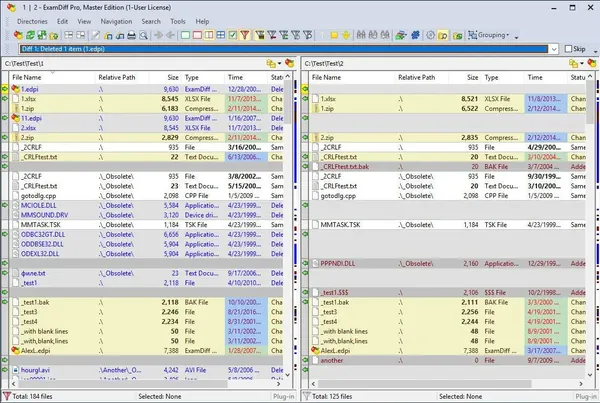
ExamDiff Pro Master Edition 17.0.1.5 (x64) | 24 Mb
ExamDiff Pro Master Edition is a visual file and directory comparison application for Windows that helps users identify differences between files, folders, and document versions. It provides an intuitive interface for reviewing changes, synchronizing data, and managing revisions, making it suitable for software development, testing, documentation, and general file management.
The application supports two-way and three-way comparison and merge operations, allowing users to analyze content, resolve differences, and maintain multiple versions of files with greater accuracy. Its visual comparison tools simplify the process of tracking modifications while improving productivity across a wide range of workflows.
In addition to source code comparison, ExamDiff Pro Master Edition includes features for comparing binary files, generating reports, synchronizing directories, and working with Microsoft Office and PDF documents through plug-ins. Integration with Windows Explorer and built-in editing capabilities further streamline everyday comparison tasks.
Key Features:
Operating System:
Windows XP, 2003, Vista, 7, 2008, 8, 2012, 8.1, 2012 R2, 10, 2016.
Home Page -
Package Contents:
- Compare files and directories using an intuitive visual interface.
- Perform two-way and three-way file comparison and merge operations.
- Track changes across files and folders.
- Generate HTML and printable comparison reports.
- Compare local websites with FTP servers using the FTP plug-in.
- Ignore programming language comments during source code comparison.
- Syntax highlighting for improved code readability.
- Built-in binary comparison for executable files such as EXE and DLL.
- Synchronize files and directories between local and external storage.
- Create directory snapshots for future comparison and archival purposes.
- Compare files directly from Windows Explorer using the integrated shell extension.
- Save comparison results for testing and validation workflows.
- Built-in text editor for editing documents within the comparison window.
- Synchronized word wrap for easier document comparison.
- Compare Word, Excel, and PDF documents through available plug-ins.
Operating System:
Windows XP, 2003, Vista, 7, 2008, 8, 2012, 8.1, 2012 R2, 10, 2016.
Home Page -
Code:
https://www.prestosoft.com/- Original installer
- Patched files |
- Crack |
- Keygen |
- Activation
Recommend Download Link Hight Speed | Please Say Thanks Keep Topic Live
Rapidgator
9x07e.ExamDiff.Pro.Master.Edition.17.0.1.5.x64.rar.html
FreeDL
9x07e.ExamDiff.Pro.Master.Edition.17.0.1.5.x64.rar.html
Links are Interchangeable - No Password - Single Extraction

