
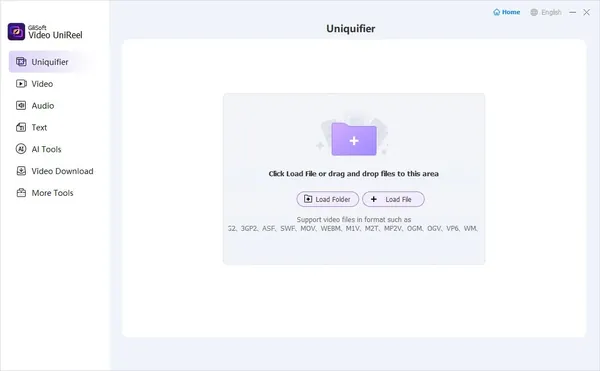
Gilisoft Video UniReel 19.0.0 (x64) Multilingual Fast Links | 1.55 GB
Gilisoft Video UniReel is a comprehensive video editing application designed to help users create, enhance, and export videos through an integrated set of editing tools. It supports common video production tasks such as trimming, merging, splitting, applying visual effects, adding subtitles, and inserting watermarks, making it suitable for both personal and professional projects.
The software provides an accessible editing environment that allows users to transform raw footage into polished videos without requiring advanced editing experience. Whether preparing tutorials, presentations, social media content, or home movies, it offers practical tools for organizing clips, refining visuals, and customizing the final output.
In addition to standard editing functions, Gilisoft Video UniReel includes utilities for audio integration, video rotation, cropping, and batch processing. Its wide range of editing modules enables users to perform multiple production tasks within a single application.
Key Features:
- Trim video clips with support for lossless cutting.
- Cut multiple videos simultaneously using batch processing.
- Perform advanced editing while trimming, including cropping, rotation, subtitles, watermarks, filters, and brightness adjustments.
- Merge multiple video files into a single project with support for both identical and different video formats.
- Split videos by duration, file size, or manually defined split points.
- Apply visual effects including black and white, oil painting, mosaic, emboss, glow, motion blur, haze, and additional filters.
- Adjust video brightness, contrast, and saturation with real-time preview.
- Add text, image, logo, video, or animated GIF watermarks.
- Embed ASS and SRT subtitles directly into video files with customizable font and positioning.
- Add background music or audio tracks in MP3, WMA, OGG, and FLAC formats.
- Rotate videos to correct portrait or landscape orientation.
- Crop video frames to remove unwanted areas or fit different display sizes.
Why Choose Gilisoft Video UniReel:
Gilisoft Video UniReel is suitable for users who want a single application for handling a wide variety of video editing tasks. Instead of relying on separate utilities for trimming, joining, splitting, subtitle embedding, watermarking, and audio editing, the software combines these functions into one integrated workspace.
Its collection of editing modules makes it useful for creating home movies, educational videos, product demonstrations, presentations, and other video projects while providing flexible tools for refining both visual and audio content.
System Requirements:
Windows (64-bit)
Home Page
Code:
https://www.gilisoft.com/video-unireel.htmRecommend Download Link Hight Speed | Please Say Thanks Keep Topic Live
Rapidgator
imr7t.Gilisoft.Video.UniReel.19.0.0.x64.Multilingual.rar.html
UploadCloud
imr7t.Gilisoft.Video.UniReel.19.0.0.x64.Multilingual.rar.html
DDownload
imr7t.Gilisoft.Video.UniReel.19.0.0.x64.Multilingual.rar
FreeDL
imr7t.Gilisoft.Video.UniReel.19.0.0.x64.Multilingual.rar.html
Links are Interchangeable - No Password - Single Extraction

