
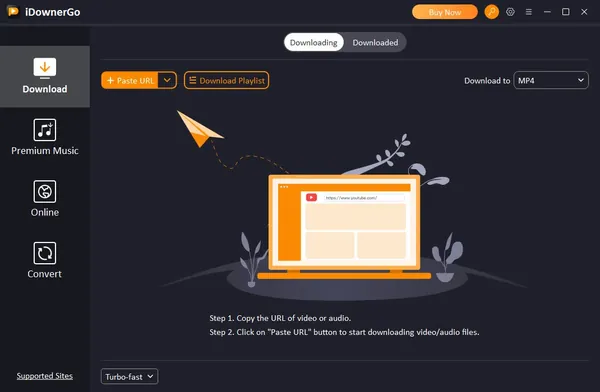
iDownerGo Pro 11.1.2 (x64) Multilingual Fast Links | 390 Mb
iDownerGo Pro is a video and music downloading application designed to help users save online media from various websites for offline access. The software supports video downloads, audio extraction, playlist processing, and media conversion, providing tools for managing online content in different formats and quality levels.
The application is suitable for users who need to collect online videos, music tracks, playlists, and other media content from supported platforms. It provides support for high-resolution video downloads, audio conversion, metadata preservation, and batch processing features for more efficient media management.
Software Overview
iDownerGo Pro provides a centralized solution for downloading and converting online videos and audio files from a wide range of supported websites. Users can save content in different resolutions, including HD and UHD quality options, depending on the available source formats.
The software also includes music downloading features that allow users to save songs, albums, playlists, podcasts, and other audio content while preserving available metadata such as titles, artists, and album information.
Key Features
- Download videos from thousands of supported websites.
- Save online videos in resolutions up to 8K when available.
- Download videos from platforms such as YouTube, Facebook, Instagram, Vimeo, and other supported services.
- Download music content from supported streaming platforms.
- Preserve ID3 tags including title, artist, track information, and album artwork.
- Download playlists, channels, albums, and collections in batches.
- Convert videos to formats including MP4, MOV, AVI, and MKV.
- Convert audio content to formats such as MP3, AAC, and M4A.
- Extract audio tracks from supported online videos.
- Process live stream videos from supported platforms.
Why Choose iDownerGo Pro
iDownerGo Pro is designed for users who need a practical way to save and manage online video and audio content. Its combination of downloading, conversion, playlist handling, and metadata support makes it suitable for personal media organization and offline playback workflows.
The software provides flexible output options and supports different media sources, allowing users to store content in formats compatible with various devices and applications.
System Requirements
- Operating System: Windows
- Architecture: x64
Frequently Asked Questions
What is iDownerGo Pro used for?
iDownerGo Pro is used for downloading and converting online videos and music from supported websites.
Does iDownerGo Pro support high-resolution video downloads?
Yes. The software supports downloading available video resolutions, including HD and UHD formats up to 8K when provided by the source.
Can iDownerGo Pro download playlists?
Yes. The application supports downloading playlists, channels, albums, and other grouped media content from supported platforms.
Does iDownerGo Pro support audio conversion?
Yes. The software can extract and convert audio into supported formats such as MP3, AAC, and M4A.
Home Page
Code:
https://idownergo.com/Product Information
- Software Name: iDownerGo Pro
- Version: 11.1.2
- Architecture: x64
- Languages: Multilingual
- License type: Full Version
- File Size: 390 Mb
Recommend Download Link Hight Speed | Please Say Thanks Keep Topic Live
Rapidgator
4uhhk.iDownerGo.Pro.11.1.2.x64.Multilingual.rar.html
UploadCloud
4uhhk.iDownerGo.Pro.11.1.2.x64.Multilingual.rar.html
DDownload
4uhhk.iDownerGo.Pro.11.1.2.x64.Multilingual.rar
FreeDL
4uhhk.iDownerGo.Pro.11.1.2.x64.Multilingual.rar.html
Links are Interchangeable - No Password - Single Extraction

