
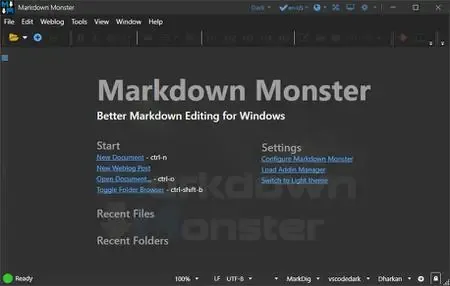
Markdown Monster 4.4.3 | 20 Mb
Markdown Monster is a feature-rich Markdown editor designed for writers, developers, technical authors, and content creators who need a fast and efficient environment for creating Markdown-based documents. It combines a responsive editing experience with real-time preview capabilities, making it easy to write, format, and publish content without interrupting your workflow.
The application provides syntax highlighting, live synchronized preview, image and link management tools, drag-and-drop support, and built-in file browsing. Whether you're creating documentation, blog posts, technical articles, or project notes, Markdown Monster helps streamline the entire writing process while keeping advanced tools easily accessible when needed.
Beyond editing, the software includes export options for HTML and PDF, Git integration, customizable themes, and support for publishing directly to popular blogging platforms. Its extensible architecture also allows developers to expand functionality through .NET add-ins, scripting, and text templating features.
Key Features:
- Fast and responsive Markdown editing
- Syntax-highlighted Markdown editor
- Live synchronized preview pane
- Inline spell checking support
- Quick image and hyperlink insertion
- Paste images directly from clipboard
- Drag-and-drop image management
- Integrated file and folder browser
- Favorites manager for quick access
- Document outline navigation
- Built-in Git repository integration
- Screen capture functionality
- Two-way table editor
- Import HTML and convert to Markdown
- Export Markdown to HTML and PDF
- Light and dark user interface themes
- Customizable preview themes
- High-DPI display support
- YAML metadata support
- Snippet and template expansion
- Multiple Markdown parser support
- Direct publishing to supported blog platforms
- Extensible through .NET add-ins
Publish Markdown content directly to supported blogging platforms including WordPress, MetaWeblog, Jekyll, and Medium. Existing posts can be downloaded, edited, republished, or converted from HTML into Markdown for easier content management.
Extensible Architecture
Markdown Monster includes a flexible add-in framework that enables users and developers to customize the editor with additional functionality. Built-in scripting and text templating tools help automate repetitive tasks and improve productivity.
System Requirements:
Microsoft Windows 10 or later
.NET 7.0 (pre-installed)
WebView2 Runtime (pre-installed)
Home Page-
Code:
https://markdownmonster.west-wind.com/Recommend Download Link Hight Speed | Please Say Thanks Keep Topic Live
Rapidgator
ngxdp.Markdown.Monster.4.4.3.zip.html
DDownload
ngxdp.Markdown.Monster.4.4.3.zip
FreeDL
ngxdp.Markdown.Monster.4.4.3.zip.html
Links are Interchangeable - No Password - Single Extraction

