
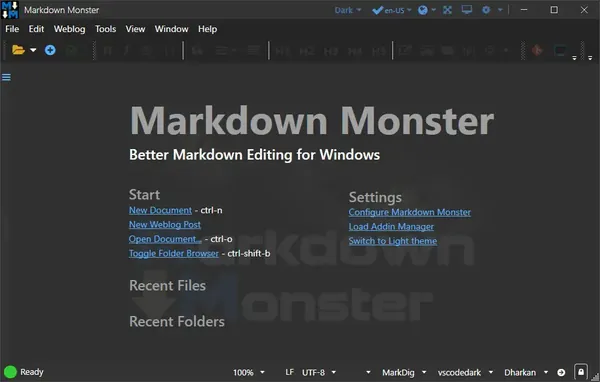
Markdown Monster 4.4.4 | 20 MB
Markdown Monster is a feature-rich Markdown editor for Windows that combines a clean writing environment with powerful editing, previewing, and publishing tools. Designed for developers, technical writers, bloggers, and documentation teams, it provides real-time preview, syntax highlighting, Git integration, and extensive customization options to streamline Markdown workflows.
With synchronized live preview, smart editing features, and built-in publishing support, Markdown Monster makes it easy to create documentation, README files, blog posts, technical articles, and project notes efficiently.
Key Features
• Fast and responsive Markdown editor with syntax highlighting.
• Live preview synchronized with the editor as you type and scroll.
• Inline spell checking and real-time word count.
• Quickly insert images, links, tables, and code blocks.
• Paste images directly from the clipboard or drag and drop from Windows Explorer.
• Built-in file and folder browser for convenient project management.
• Document outline for quick navigation through large documents.
• Favorites manager for frequently accessed folders and files.
• Two-way Markdown table editor.
• Built-in screen capture utility.
• Import HTML documents and convert them to Markdown.
• Export Markdown documents to HTML or PDF.
• Copy selected Markdown content as formatted HTML.
• Syntax highlighting for numerous programming languages in preview mode.
• Support for YAML metadata.
• Snippet expansion and reusable text templates.
• Switch between multiple Markdown parsing engines.
• Fully customizable preview themes.
• Light and dark application themes with High DPI support.
Web Publishing Support
Markdown Monster allows you to publish Markdown content directly to popular blogging platforms with minimal effort.
Supported publishing platforms include:
• WordPress
• MetaWeblog API compatible services
• Jekyll
• Medium
Existing blog posts can also be downloaded, edited, republished, or converted from HTML back to Markdown.
Built-in Git Integration
The application includes native Git support, allowing you to:
• View repository status.
• Track modified files.
• Work with documentation projects stored in Git repositories.
• Launch your preferred Git client directly from the editor.
Extensible with .NET
Developers can extend Markdown Monster using the built-in .NET add-in framework. Custom extensions can integrate with the editor, user interface, publishing workflow, and automation system. Scripting and text templating features are also available without requiring custom plugin development.
System Requirements
• Windows 10 or later
• Microsoft .NET 7.0
• Microsoft WebView2 Runtime
Homepage
Code:
https://markdownmonster.west-wind.com/Recommend Download Link Hight Speed | Please Say Thanks Keep Topic Live
Rapidgator
yzb52.Markdown.Monster.4.4.4.zip.html
yzb52.Markdown.Monster.4.4.4.zip.html
DDownload
yzb52.Markdown.Monster.4.4.4.zip
FreeDL
yzb52.Markdown.Monster.4.4.4.zip.html
Links are Interchangeable - No Password - Single Extraction

