
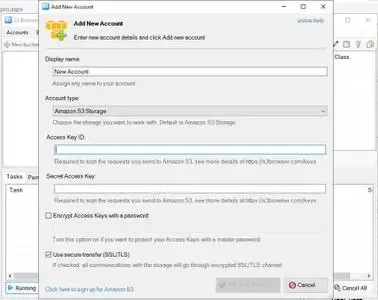
NetSDK Software S3 Browser Pro 13.3.5 | 7.4 Mb
S3 Browser Pro is a Windows client for managing files stored in Amazon S3 and Amazon CloudFront. It provides an intuitive interface for uploading, downloading, organizing, and administering cloud storage resources without relying on the AWS web console. The application is suitable for developers, system administrators, website owners, and businesses that use Amazon Web Services for storage, backup, and content delivery.
The software simplifies everyday cloud storage management by allowing users to browse buckets, transfer files, configure permissions, and manage CloudFront distributions from a single desktop application. It also supports S3-compatible storage services, making it a practical solution for working with multiple cloud providers.
Designed for both routine and large-scale operations, S3 Browser Pro includes tools for synchronization, backup, encryption, version management, and automation. Its multithreaded transfer engine, support for very large files, and advanced management features make it suitable for handling everything from personal backups to enterprise storage environments.
Key Features:
Operating System:
Windows XP/Vista/7/8/10/11 and Windows Server 2003/2008/2012/2016/2019/2022
Home Page
Key Features:
- Upload and download files to and from Amazon S3
- Manage Amazon S3 buckets by creating, browsing, and deleting them
- Publish content through Amazon S3 and Amazon CloudFront
- Support for multiple Amazon S3 accounts and S3-compatible storage services
- Client-side AES-256 compression and encryption
- Data integrity verification during file transfers
- Folder synchronization for transferring only new or modified files
- Support for Amazon S3 Versioning with version management
- Compatible with all Amazon S3 storage classes, including Glacier and Deep Archive restoration
- Support for files up to 5 TB in size
- Multipart uploads and downloads with pause and resume support
- Amazon S3 Transfer Acceleration support
- Bucket sharing wizard and Access Control List (ACL) management
- Bucket policies, lifecycle rules, logging, and requester pays support
- CloudFront distribution management
- Command-line tools for automation
- Bandwidth throttling and proxy support
- Copy and move data between S3 accounts and buckets
- Drag-and-drop integration with Windows Explorer
- Static website hosting configuration and advanced URL generation
Operating System:
Windows XP/Vista/7/8/10/11 and Windows Server 2003/2008/2012/2016/2019/2022
Home Page
Code:
https://s3browser.com/Recommend Download Link Hight Speed | Please Say Thanks Keep Topic Live
KatFile
a69lo.NetSDK.Software.S3.Browser.Pro.13.3.5.rar.html
Rapidgator
a69lo.NetSDK.Software.S3.Browser.Pro.13.3.5.rar.html
FreeDL
a69lo.NetSDK.Software.S3.Browser.Pro.13.3.5.rar.html
Links are Interchangeable - No Password - Single Extraction

