
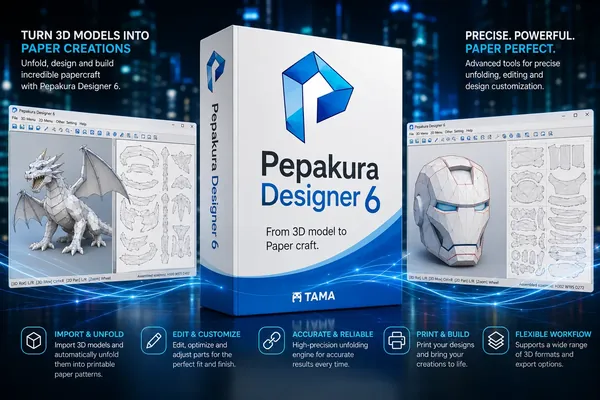
Pepakura Designer 6.2.7 (x64) Multilingual Fast Links | 18 Mb
Pepakura Designer is a Windows application that converts 3D polygon mesh models into printable unfolded patterns. The software allows users to transform digital 3D data into paper craft templates by automatically generating flat layouts that can be printed, cut, and assembled into physical models.
Designed for paper model creators, hobbyists, designers, and educators, Pepakura Designer provides tools for adjusting unfolded patterns, arranging parts, and preparing models for assembly. The application works with existing 3D data from compatible modeling software and focuses on unfolding and editing rather than creating 3D models from scratch.
Pepakura Designer supports various common 3D file formats and provides practical features for layout editing, texture management, and export preparation. It helps users create detailed paper crafts from digital models with clear assembly guidance and customizable output options.
Key Features:
- Automatically unfold 3D polygon mesh models into printable paper patterns.
- Generate unfolded layouts with a single operation.
- Edit paper patterns using move, rotate, join, and separate part tools.
- Add flaps to improve model assembly preparation.
- Provide edge identification and assembly guidance for connecting parts.
- Display matching edges and assembly positions with visual indicators.
- Support texture switching for colored or untextured model templates.
- Modify texture images directly within the application.
- Export unfolded patterns to BMP, PNG, GIF, JPG, EPS, DXF, and PDF formats.
- Work with compatible 3D data created by external modeling software.
Why Choose Pepakura Designer:
Pepakura Designer provides a specialized workflow for converting digital 3D models into physical paper crafts. Instead of focusing on 3D modeling, the software is designed for users who already have 3D data and need an efficient way to prepare printable patterns.
The application is suitable for paper craft designers, model builders, educators, and hobbyists who want to create detailed physical models from digital designs while maintaining control over layout editing and assembly preparation.
System Requirements:
Windows 8/10/11(64bit)
FAQ:
What is Pepakura Designer used for?
Pepakura Designer is used to create printable paper craft patterns from existing 3D models by unfolding polygon mesh data into flat layouts.
Does Pepakura Designer include 3D modeling tools?
No. The software does not provide 3D design features and requires existing 3D data from compatible modeling applications.
Which file formats can Pepakura Designer export?
The software supports exporting patterns in formats including BMP, PNG, GIF, JPG, EPS, DXF, and PDF.
Can textures be used in paper model creation?
Yes. Pepakura Designer allows users to switch textures on or off and modify texture images for model preparation.
Home Page
Code:
https://tamasoft.co.jp/pepakura-en/Product Information:
- Software Name: Pepakura Designer
- Year of release:
- Version: 6.2.7
- Architecture: x64
- Languages: Multilingual
- License type: Full Version
- File Size: 18 Mb
Recommend Download Link Hight Speed | Please Say Thanks Keep Topic Live
Rapidgator
j255u.Pepakura.Designer.6.2.7.x64.Multilingual.rar.html
UploadCloud
j255u.Pepakura.Designer.6.2.7.x64.Multilingual.rar.html
DDownload
j255u.Pepakura.Designer.6.2.7.x64.Multilingual.rar
FreeDL
j255u.Pepakura.Designer.6.2.7.x64.Multilingual.rar.html
KatFile
j255u.Pepakura.Designer.6.2.7.x64.Multilingual.rar.html
Links are Interchangeable - No Password - Single Extraction

