
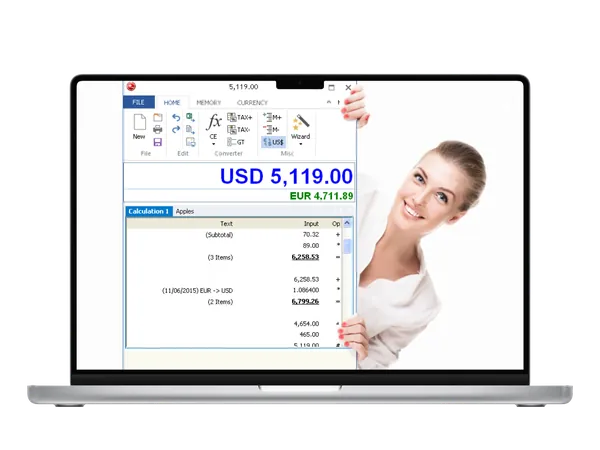
Free Download pmaSoft DeskCalc 10.0.7 | 6.2 Mb
pmaSoft DeskCalc is a Windows-based calculator application that combines the functionality of a traditional paper tape adding machine with modern digital features. It provides calculation tools, editable calculation records, and export options for users who need accurate financial and business-oriented calculations.
The software is designed for office users, accountants, and anyone who works with frequent numerical operations. It includes features for reviewing calculations, correcting entries, managing percentages, converting currencies, and keeping detailed calculation histories.
Software OverviewpmaSoft DeskCalc recreates the workflow of a mechanical adding machine while adding features available in a desktop application. The built-in check-strip allows users to review calculations, edit values, and maintain a clear record of operations.
The application supports formula interpretation, memory functions, sales tax calculations, percentage operations, and different number display formats. Users can also print calculation results with headings and date/time information or export data for further processing in Excel.
DeskCalc provides a practical solution for users who require a reliable calculator with additional record management capabilities.
Key Features
- Paper tape-style calculation history with editable entries.
- Correct, update, add, or delete calculation values.
- Built-in formula interpreter for advanced calculations.
- Support sales tax and percentage calculations.
- Currency conversion functions.
- Memory functions for repeated calculations.
- Floating point and fixed point calculation modes.
- Thousands separator support for improved readability.
- Display results in the taskbar area and window title.
- Print calculations with headings and date/time information.
- Export calculation data to Excel.
Why Choose pmaSoft DeskCalcpmaSoft DeskCalc is suitable for users who need a calculator that provides more control than a standard desktop calculator. Its paper tape workflow and editing features make it useful for reviewing financial calculations and maintaining accurate records.
The software can be used in office environments, accounting tasks, and daily numerical workflows where calculation history is important.
System RequirementsSupported Operating Systems:
Windows 10, Windows Server 2008-12, Windows XP, Windows 7, Windows 8.1
Frequently Asked QuestionsWhat is pmaSoft DeskCalc used for?pmaSoft DeskCalc is used for performing calculations while keeping an editable paper tape-style record of operations.
Can DeskCalc export calculation results?Yes, DeskCalc supports exporting calculation data to Excel.
Does DeskCalc support financial calculations?Yes, the software includes features such as percentage calculations, sales tax functions, and currency conversion.
Which operating systems are supported by DeskCalc?DeskCalc supports Windows versions including Windows XP, Windows 7, Windows 8.1, Windows 10, and Windows Server editions.
Home Page
Code:
http://www.deskcalc.com/Product Information
- Software Name: pmaSoft DeskCalc
- Version: 10.0.7
- Architecture:
- Languages: English
- License type: Full Version
- File Size: 6.2 Mb
Recommend Download Link Hight Speed | Please Say Thanks Keep Topic Live
Rapidgator
30oxa.pmaSoft.DeskCalc.10.0.7.rar.html
UploadCloud
30oxa.pmaSoft.DeskCalc.10.0.7.rar.html
DDownload
30oxa.pmaSoft.DeskCalc.10.0.7.rar
FreeDL
30oxa.pmaSoft.DeskCalc.10.0.7.rar.html
Links are Interchangeable - No Password - Single Extraction

