
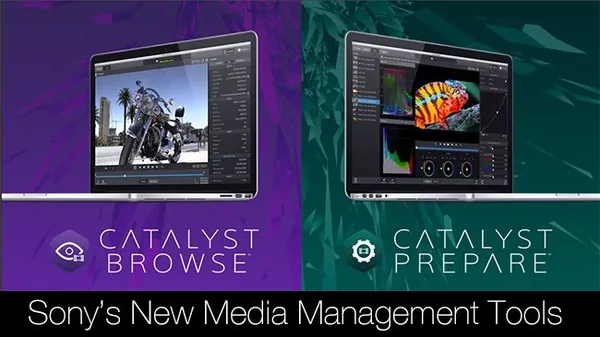
Sony Catalyst Browse / Prepare Suite 2026.1.1 (x64) | 694 Mb
Sony Catalyst Browse / Prepare Suite is a media preparation and management solution designed for professional video production workflows. It provides tools for reviewing, organizing, transferring, and preparing footage captured with Sony professional cameras before the editing stage.
The suite combines media browsing and preparation utilities in a single workflow. Users can inspect clips, edit metadata, create backups with verification, organize media into collections, perform batch operations, and prepare footage for post-production. It is suitable for production environments where efficient media handling and data integrity are essential.
The software also supports color review, transcoding, cloud upload, storyboard creation, and clip list management, helping production teams streamline the path from camera acquisition to editing and collaborative review.
Key Features:
System Requirements:
Home Page
Package Contents:
- Browse and review media from Sony cameras, decks, and card readers
- Display clips using thumbnail or detailed list views
- View and edit media metadata
- Create verified media backups with checksum validation
- Organize clips into bins for efficient project management
- Batch copy and batch transcode media files
- Adjust colors and apply color looks during review
- Set in and out points for selected clips
- Configure multichannel audio assignments
- Assemble rough edits using the Storyboard feature
- Upload media directly to Sony Ci cloud services
- Create, import, and export Sony Professional Disc clip lists
- Transcode footage to multiple production formats
System Requirements:
- 64-bit Microsoft Windows 7, Windows 8.1, Windows 10, or Windows 11
- 2 GHz processor (multicore or multiprocessor CPU recommended for HD; 8 cores recommended for 4K)
- 500 MB available hard disk space for installation
- Solid-state drive (SSD) or high-speed RAID recommended for 4K media
- 4 GB RAM (8 GB recommended; 16 GB recommended for 4K)
- NVIDIA, AMD/ATI, or Intel GPU supporting OpenCL 1.1 or later with at least 512 MB VRAM (2 GB recommended for 4K), or a CPU supporting SSE 4.2 or later
- OpenGL 2.1 recommended for optimal performance
Home Page
Code:
https://www.sonycreativesoftware.comPackage Contents:
- Original installer
- Crack
Recommend Download Link Hight Speed | Please Say Thanks Keep Topic Live
Rapidgator
xhfpj.Catalyst.Prepare.Browse.Suite.2026.1.1.100.rar.html
DDownload
xhfpj.Catalyst.Prepare.Browse.Suite.2026.1.1.100.rar
FreeDL
xhfpj.Catalyst.Prepare.Browse.Suite.2026.1.1.100.rar.html
Links are Interchangeable - No Password - Single Extraction

