
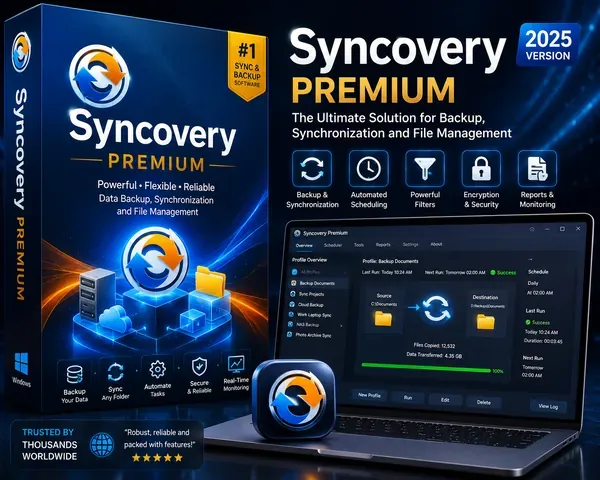
Free Download Syncovery Premium 12.4.4.61 (x64) Multilingual | 91 Mb
Syncovery Premium is a file synchronization and backup application designed for managing data between source and destination locations. Its profile-based workflow guides users through the creation of synchronization and backup jobs, with each profile defining the paths and operations required for the task.
The software is built to handle large collections of files and folders, using multi-threaded scanning to process millions of files efficiently. It supports one-way and two-way synchronization, real-time change detection, block-level copying, versioning, and a range of execution modes for both interactive and automated jobs.
Syncovery also provides features for large-scale file server migrations and advanced profile management. Jobs can be reviewed, scheduled, run in the background, or executed with different levels of user interaction depending on the required workflow.
Software OverviewSyncovery uses profiles to organize synchronization and backup operations between two paths. A profile can define a source and destination or operate as a two-way copy task between left and right paths.
Its multi-threaded folder listing technology is designed for large directory structures and can process millions of files. Destination File List Cache and Remote Service features can provide additional scanning efficiency in supported workflows.
For large files, Syncovery supports block-level copying by identifying changed portions and transferring only the modified blocks. Checksums stored in a database, the Syncovery Remote Service, or the File System Monitoring Service can be used for change detection. The File System Monitoring Service is available on Windows.
Real-time synchronization monitors file system events and responds to changes without requiring a full manual scan. For cloud servers, polling can be used to detect changes. Real-time synchronization features are available on Windows and macOS.
Key Features
- Step-by-step creation of synchronization and backup profiles
- One-way and two-way synchronization between defined paths
- Multi-threaded folder scanning for large file collections
- Support for millions of files and extensive folder structures
- Destination File List Cache for faster scanning
- Remote Service support for synchronization and file comparison workflows
- Block-level copying for transferring changed portions of large files
- Real-time synchronization based on file system events
- Polling support for detecting changes on cloud servers
- SmartTracking for identifying moved files, deleted files, and synchronization conflicts
- Versioning for retaining multiple versions of modified files
- Restore Wizard for recovering individual files or groups of files from previous dates
- Advanced NTFS copying features for large-scale file server migrations
- Profile Overview showing job schedules, results, and current progress
- Attended, Unattended, background, and background-with-preview execution modes
- Support for running multiple background jobs while reviewing synchronization previews
The combination of large-scale file handling, block-level copying, version management, real-time synchronization, and server migration capabilities makes Syncovery suitable for workflows ranging from routine folder synchronization to extensive data management operations.
System RequirementsAll versions of Windows since Windows Vista and Windows Server 2008 are fully supported, including Windows 10/11 and Server 2019-2025 and all other versions and editions of Windows that have a graphical user interface.
Home Page
Code:
https://www.syncovery.com/- Software Name: Syncovery Premium
- Version: 12.4.4.61
- Architecture: x64
- Languages: Multilingual
- License type: Full Version
- File Size: 91 Mb
Recommend Download Link Hight Speed | Please Say Thanks Keep Topic Live
Rapidgator
sn0oq.Syncovery.Premium.12.4.4.61.x64.Multilingual.zip.html
UploadCloud
sn0oq.Syncovery.Premium.12.4.4.61.x64.Multilingual.zip.html
DDownload
sn0oq.Syncovery.Premium.12.4.4.61.x64.Multilingual.zip
FreeDL
sn0oq.Syncovery.Premium.12.4.4.61.x64.Multilingual.zip.html
Links are Interchangeable - No Password - Single Extraction

