

Free Download Zbrainsoft Dose for Excel 3.6.10 Multilingual | 49 Mb
Zbrainsoft Dose for Excel is an Excel productivity add-in designed to simplify repetitive spreadsheet operations and improve everyday data management. It adds more than 100 tools and functions directly to the Excel ribbon, allowing users to perform tasks such as removing duplicate rows, comparing worksheets, merging cells, selecting data ranges, and managing workbook content with fewer manual steps.
The add-in also provides navigation tools, reading layouts, workbook backup options, and utilities for working with comments and cell formatting. Its selection features make it easier to handle large worksheets, including ranges containing blank rows or columns and spreadsheets with merged cells.
By bringing these functions together inside Excel, Dose for Excel helps reduce repetitive work and makes common spreadsheet operations more convenient.
Software Overview
Dose for Excel extends Microsoft Excel with a collection of additional tools for spreadsheet editing, data selection, navigation, and workbook management. Instead of relying on lengthy manual procedures or separate utilities, users can access its functions directly from the Excel ribbon.
The application is particularly useful when working with large workbooks, comparing sheets, selecting specific cells, or reorganizing spreadsheet data. Features such as Reading Layout and Row to Column also provide alternative ways to inspect information when worksheets contain many rows and columns.
Key Features
- 100+ Excel Tools: Adds more than 100 functions and productivity features to the Excel ribbon.
- Duplicate Management: Simplifies the process of identifying and eliminating duplicate rows.
- Worksheet Comparison: Provides tools for comparing worksheets and reviewing spreadsheet differences.
- Sheet Export: Quickly export individual worksheets from a workbook.
- Data-Preserving Cell Merging: Merge cells, rows, or columns without losing their contents.
- Comments Helper: Provides additional tools for managing Excel comments.
- Color-Based Counting: Count cells according to their background or formatting color.
- Built-in Calculations: Access additional calculation functions for common spreadsheet tasks.
- Workbook Backup: Create backups of Excel workbooks to help protect working files.
- Workbook Navigation: Quickly switch between multiple open workbooks and navigate directly to specific worksheets.
- Full-Screen Work Area: Hide or minimize the ribbon, status bar, and formula bar to provide a less cluttered worksheet view.
- Reading Layout: Highlight the row and column associated with the currently selected cell, making large worksheets easier to read.
- Row to Column View: Display a wide row in a separate window with two columns: one for headers and another for corresponding row data.
- Flexible Selection Tools: Simplify the selection of cells, rows, columns, and ranges.
- Select Used Range: Select the worksheet's used range, including areas containing blank cells, rows, or columns.
- Extend to Last Used Row: Expand a selection to the last used row even when empty cells or rows appear in between.
- Extend to Last Used Column: Extend a selection to the last used column despite intervening blank cells or columns.
- Select Merged Cells: Identify and select merged cells within a chosen range.
- Interval Row and Column Selection: Select rows or columns at regular intervals, such as choosing five rows every two rows.
- Specific Cell Selection: Select cells that match defined conditions and then apply operations such as deletion or formatting.
Large spreadsheets often require repetitive operations that can take considerable time when performed manually. Dose for Excel brings a broad collection of practical utilities into the Excel interface, helping users manage data and navigate workbooks more efficiently.
Its selection tools are particularly helpful when dealing with irregular worksheet layouts, blank rows, merged cells, and large used ranges. Additional functions for comparing sheets, merging data, counting cells by color, and backing up workbooks make it a useful productivity extension for regular Excel users.
System Requirements
Supported Microsoft Excel Versions: Excel 2007, 2010, 2013, 2016, 2019, 2020, 2021, or Office 365.
Frequently Asked Questions
What is Zbrainsoft Dose for Excel?
It is an Excel add-in that provides more than 100 additional tools for spreadsheet editing, selection, navigation, comparison, and workbook management.
Does Dose for Excel work inside Microsoft Excel?
Yes. Its tools are integrated into the Excel ribbon for convenient access while working with spreadsheets.
Can it help select cells in large worksheets?
Yes. It includes tools for selecting used ranges, merged cells, specific cells, and rows or columns at regular intervals.
Can I compare worksheets with this add-in?
Yes. Worksheet comparison is among its advertised productivity features.
Does it support Office 365?
Yes. Office 365 is included in the publisher's stated compatibility list.
Home Page
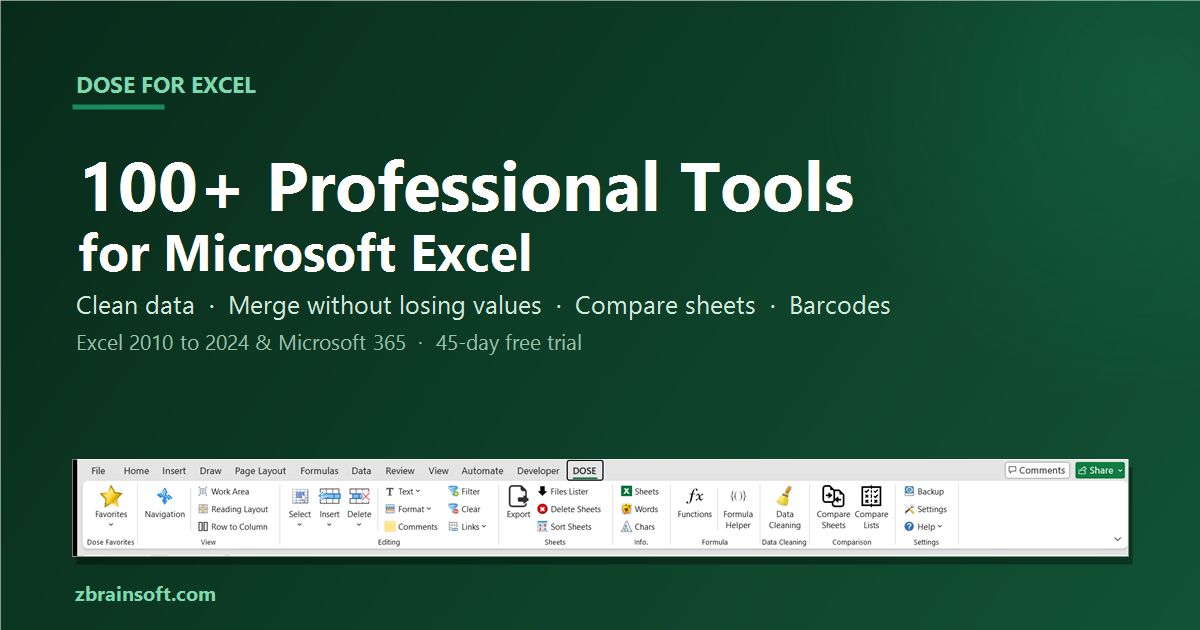
Excel Add-In with 100+ Professional Tools | Dose for Excel
Dose for Excel is an Excel add-in with 100+ professional tools: merge cells without losing data, clean and compare sheets, create barcodes. Free trial.
 www.zbrainsoft.com
Software Name: Zbrainsoft Dose for Excel
Version: 3.6.10
Interface Language: Multilingual
License Type: Full Version
File Size: 49 Mb
Recommend Download Link Hight Speed | Please Say Thanks Keep Topic Live
Rapidgator
32pth.Zbrainsoft.Dose.for.Excel.3.6.10.Multilingual.rar.html
FreeDL
32pth.Zbrainsoft.Dose.for.Excel.3.6.10.Multilingual.rar.html
Links are Interchangeable - No Password - Single Extraction

